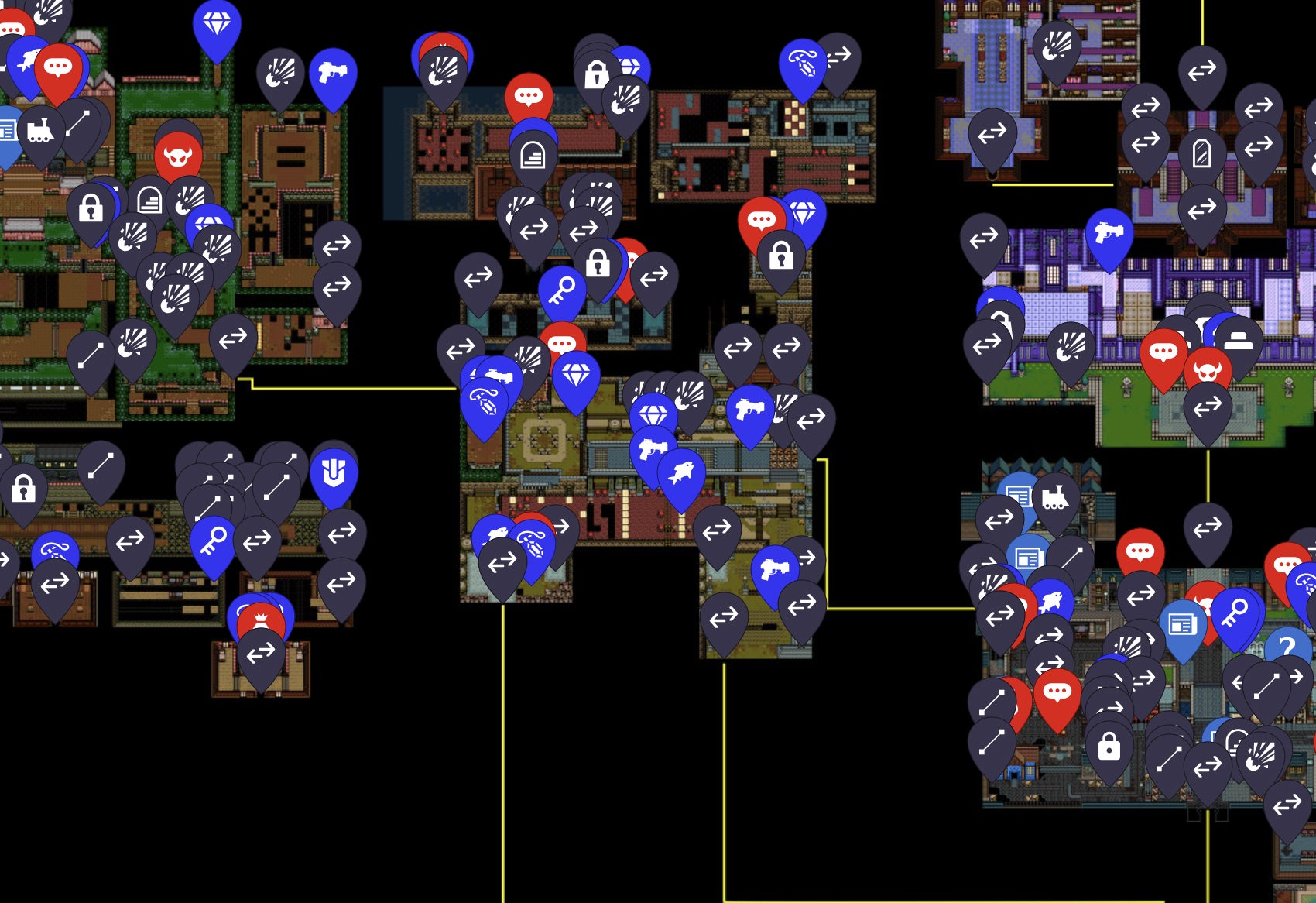
Use this Mina the Hollower map to explore Tenebrous Isle, search collectible locations, filter trinkets, upgrades, Bonestone Gems, Kears, Kear Locks, fish, sidearms, and track 100% completion progress.
This interactive map is organized around Tenebrous Isle as the explorable island rather than a single dungeon. Ossex acts as a central hub, while outer regions, hidden paths, Spark Generator routes, shops, and optional encounters make collectible tracking more useful than a plain route list.
This page keeps map content practical: search for a category, jump to a marker, mark a location as found, and use spoiler notes before opening late-game entries. As more verified coordinates are added, the same data structure can expand into a fuller Mina the Hollower collectible locations database.
Use the search field when you know the item type, region note, or collectible name. Results focus the marker and open its location note.
Turn off boss or secret categories when you want a spoiler-light route. Leave trinket locations, Kears, and upgrades visible when planning a 100% run.
Mark found entries as you play. The tracker stores checklist progress locally, so there is no login or account step.
Exact coordinates should be added from direct play, official sources, or carefully checked notes, not copied from third-party map pages.
The highest-value filters on a Mina the Hollower map are the items players can miss: trinket locations, Bonestone Gems, Kears, Kear Locks, fish, sidearms, weapons, bosses, Health Roses, Vial Pouches, Joule Boxes, Spark Containers, and route upgrades. Each marker should explain what the player is looking for, where it sits in the route, and whether the note contains spoilers.
| Category | Map Use | Spoiler Risk |
|---|---|---|
| Bonestone Gems | Small collectible checks for completion and region cleanup. | Low |
| Kears and Kear Locks | Routing notes for keys, locked gates, and locked rewards. | Medium |
| Trinkets and Upgrades | Build planning, permanent progression, and late-route cleanup. | Medium |
| Sidearms and Fish | Ability routing, fishing checks, and collection rewards. | Medium |
| Bosses and Secrets | Optional encounters, Spark Generator goals, and hidden areas. | High |
A good interactive map should help players without flattening discovery. Keep boss names, final areas, secret bosses, and hidden reward chains behind clear spoiler labels. For first runs, use broad category filters and region-level notes; for 100% cleanup, turn on every marker and work through one region at a time.
The tool is strongest when it supports multiple player intents: a beginner finding the Isle Map, a completionist checking every Bonestone Gem, a build-focused player hunting trinkets, and a late-game player searching for optional bosses. That mix is why the page uses tool controls first and short SEO copy below the map.
The Mina the Hollower map is built to track Tenebrous Isle locations including trinkets, upgrades, Bonestone Gems, Kears, Kear Locks, fish, sidearms, bosses, and 100% checklist progress.
The Mina the Hollower map includes spoiler labels and category filters so players can avoid late-game locations, bosses, and hidden collectible details until they are ready.
Yes. Search by location name, category, region note, or collectible type, then select a result to focus the marker on the interactive Tenebrous Isle map.
Yes. Progress is saved locally in your browser, which means you can mark found locations without a login.